
Turn off automatic firmware update prompts for a Workspace so operators aren’t interrupted at a critical time.
Pausing will suppress the prompts for all paired users in a Workspace.
Manage prompts
You can follow these steps on Web, iOS, or ATAK to disable firmware update prompts. To access this feature, you must be connected with Wi-Fi or cellular.
Web
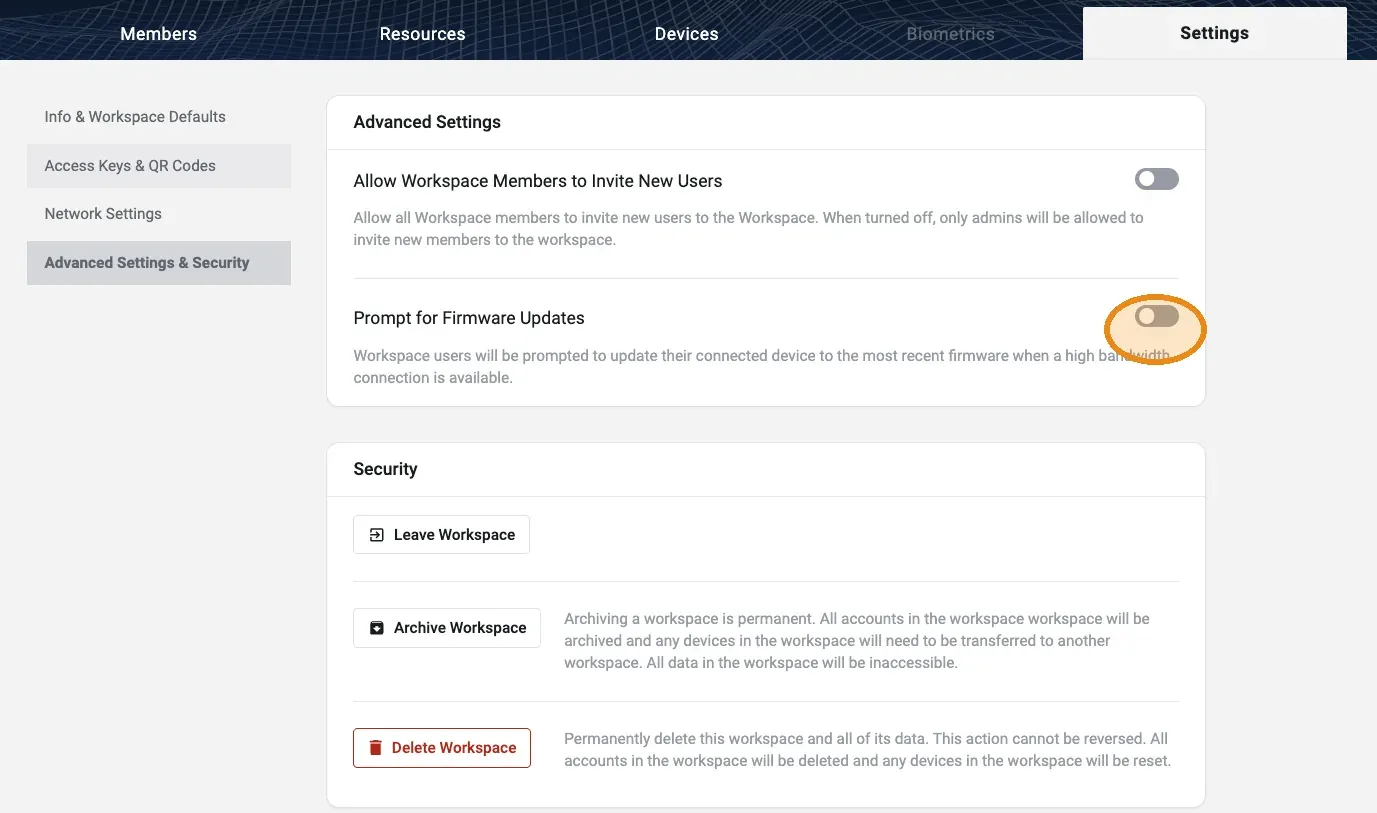
- Open the Workspace in the web console.
- Go to Workspace Settings → Advanced Settings & Security.
- Turn off Prompt for Firmware Updates.
You can also set this during the Add Workspace flow when creating a new Workspace.
iOS
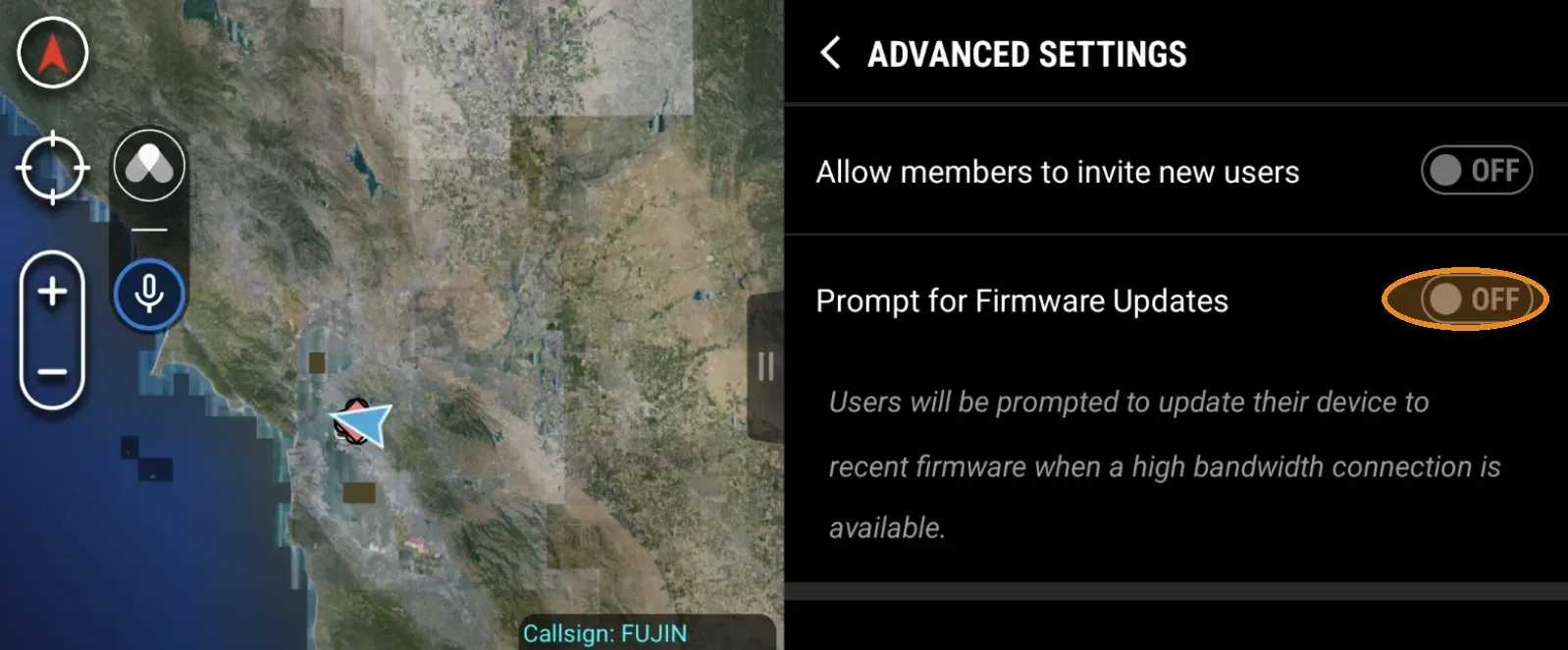
- Open the Workspace Admin screen.
- Tap Advanced Settings.
- Turn off Prompt for Firmware Updates.
ATAK
- Open the Somewear plugin.
- Go to Workspace settings → Advanced Settings.
- Turn off Prompt for Firmware Updates.
Confirm prompts are off
In the web application, open the Workspace Devices tab. When prompts are off, the table shows an information icon and an explanatory banner. This appears on the Workspace Devices tab only — not the Organization Devices tab.
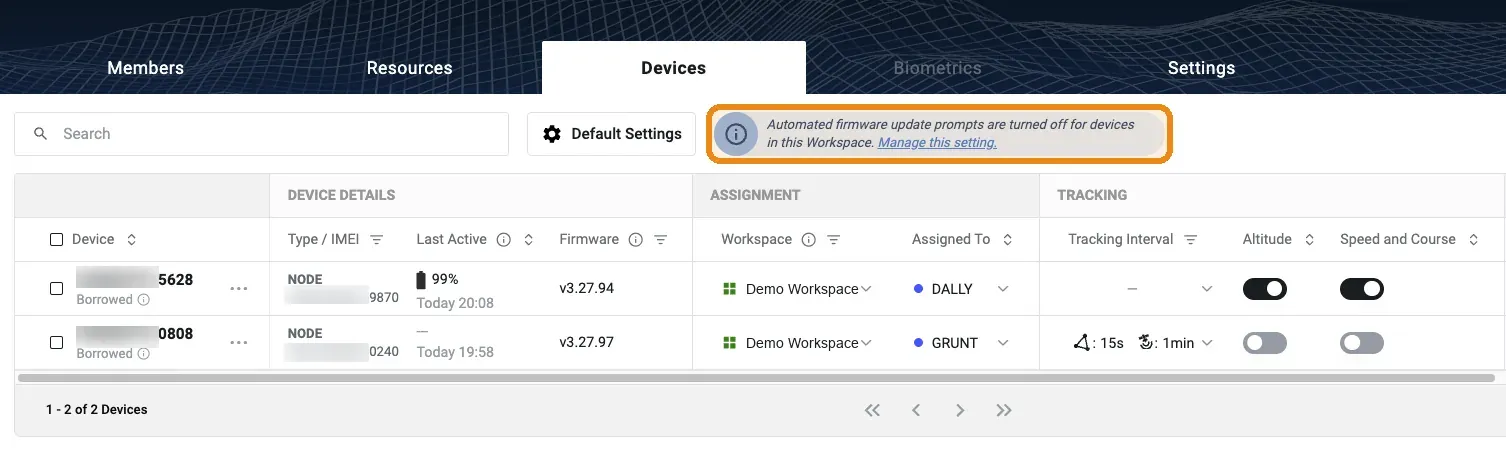
Additionally, a Firmware Version column is visible in both the Organization and Workspace device tables, so you can track the field-deployed firmware your team is using.
What operators see
With prompts off, the firmware update modal no longer pops up automatically, even when an update is available. Operators can still choose to manually upgrade their firmware:
- Open Hardware Settings on the device.
- Tap the Firmware Version row. A status modal opens showing one of:
| Status modal | Meaning |
|---|---|
| Update available | An update is ready. The operator can update now or dismiss the modal. |
| Up to date | The device is on the latest firmware. |
| Insufficient connection | A high-bandwidth connection is required to check for and perform a firmware update. |
For more information about performing a firmware update, see Update Node Firmware.
Related
- Update Node Firmware — the operator procedure for applying a firmware update
- Network Control — view device status and send settings across the Workspace
- Workspace Management — manage Members and Workspace settings