
To make it easy to keep uniform settings that align with an organization’s recommended practices, Somewear lets Admins set up defaults. Default settings apply to paired devices automatically when operators first join a Workspace, and operators can easily restore them if they have made changes.
Organization defaults
Organization settings apply by default to all new Workspaces as they are created. Organization Admins access Organization default settings by navigating to Account, then selecting ⚙️ Settings in the left-hand navigation pane.
Workspace defaults
Workspace default settings can be changed while creating a new Workspace or later. They are automatically applied on joining, and operators can easily restore their own device to the Workspace’s defaults. Be sure the checkbox next to each setting you want to control is active — leave a setting unchecked to apply no Workspace preference for it, and new members get Somewear’s factory default instead.
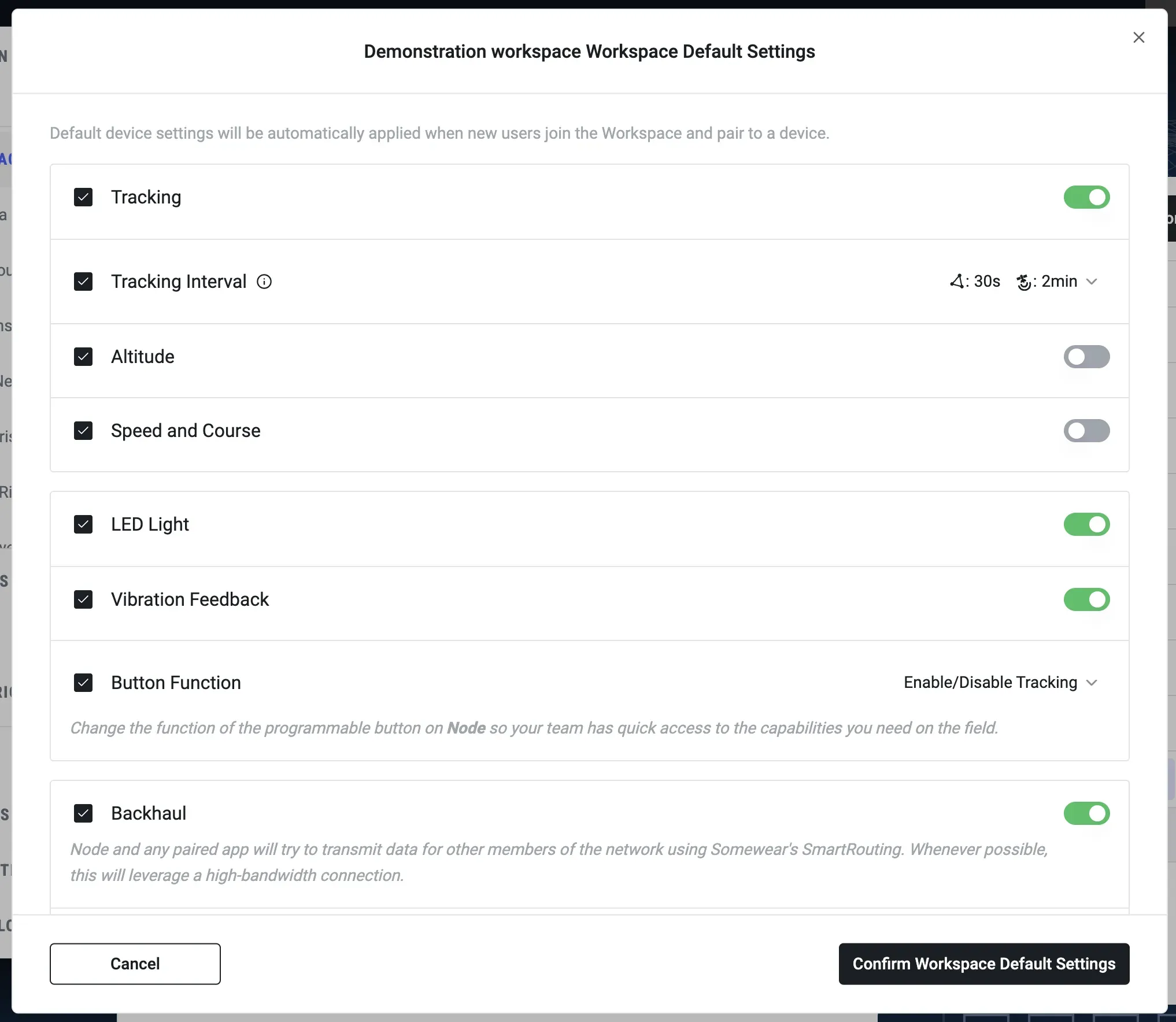
Settings available as defaults
Not every Node setting can be set as a default — this list is intentionally a subset of the full Hardware Settings Reference.
| Setting | Values | Description |
|---|---|---|
| Tracking | ON / OFF | Enables or disables location tracking. |
| Tracking Interval | Mesh/Cell: 5, 15, 30 seconds; 1, 5 minutes Satellite: 5, 15, 30 seconds; 1, 2, 5, 10, 20, 30 minutes; 1 hour | How often devices report position over each path. |
| Altitude | ON / OFF | Include altitude in position reports. |
| Speed and Course | ON / OFF | Include speed and heading in position reports. |
| LED light | ON / OFF | Controls the Node’s LED indicator; turn off to reduce visual signature. |
| Vibration Feedback | ON / OFF | Node vibrates on power cycles, pairing, and certain button presses. |
| Button Function | • Enable/Disable Tracking • Enable/Disable Satellite • Pair to Sensor • Push to Talk • None — button disabled | Sets the Node’s programmable button action. |
| Backhaul | ON / OFF | Controls whether Nodes use their available satellite, cellular, or Wi-Fi connections to backhaul data for others in their mesh network. |
| Satellite | ON / OFF | Enables the Iridium satellite link. |
| Mesh Radio | ON / OFF | Enables the LoRa mesh radio. |
| Radio Channel | Americas 1–3, Europe 1 | Selects the mesh frequency channel. |
| Endurance Mode | ON / OFF | Saves battery by disabling real-time satellite delivery; messages arrive on satellite transmissions or every 30 minutes. |