
Pressing the SOS button on your Node sends an emergency alert to your Workspace and Organization — with your location, timestamp, and device identity — over the best available connection, backhauled by any available link. The alert reaches all Workspace Members and any connected TAK server clients. SOS alerts are only sent to your Workspace and Organization — they are not sent to any external rescue organizations such as GEOS. SOS transmits automatically on a repeating interval until manually resolved, and is prioritized above all other satellite traffic.
Triggering SOS
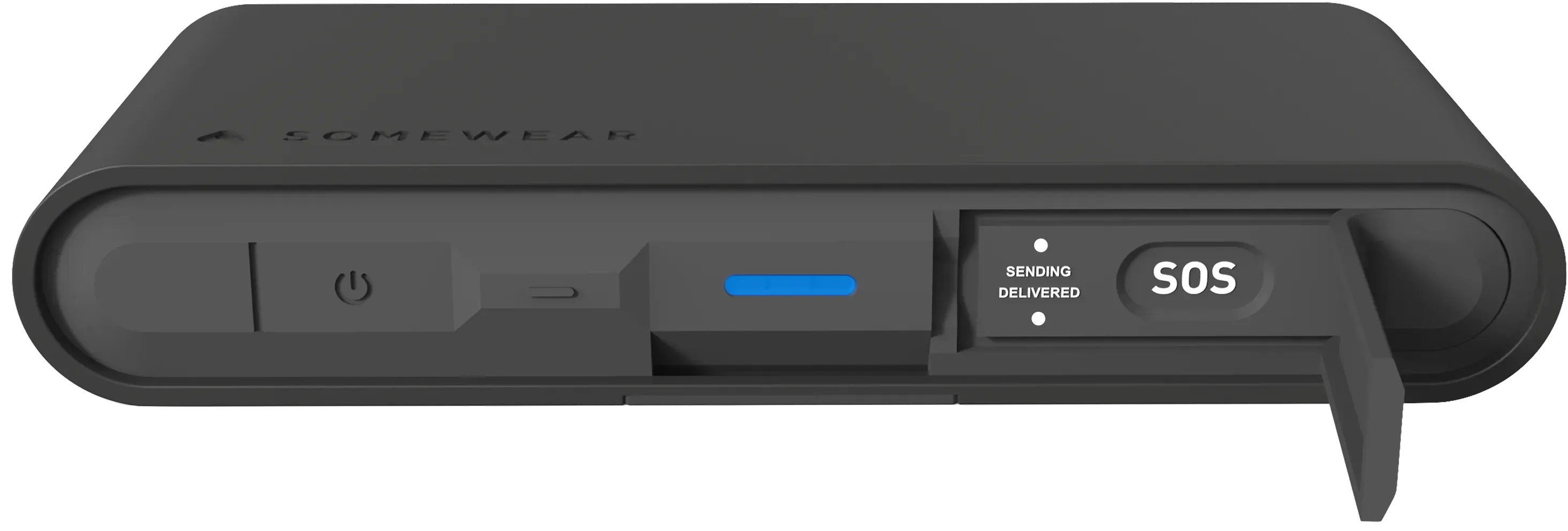
- Open the SOS button flap on the top face of the Node.
- Hold the SOS button until the Sending LED lights.
- Release — SOS is now active and transmitting.
Resolving SOS
When the emergency is over:
- Open the SOS button flap.
- Hold the SOS button until the Sending LED blinks.
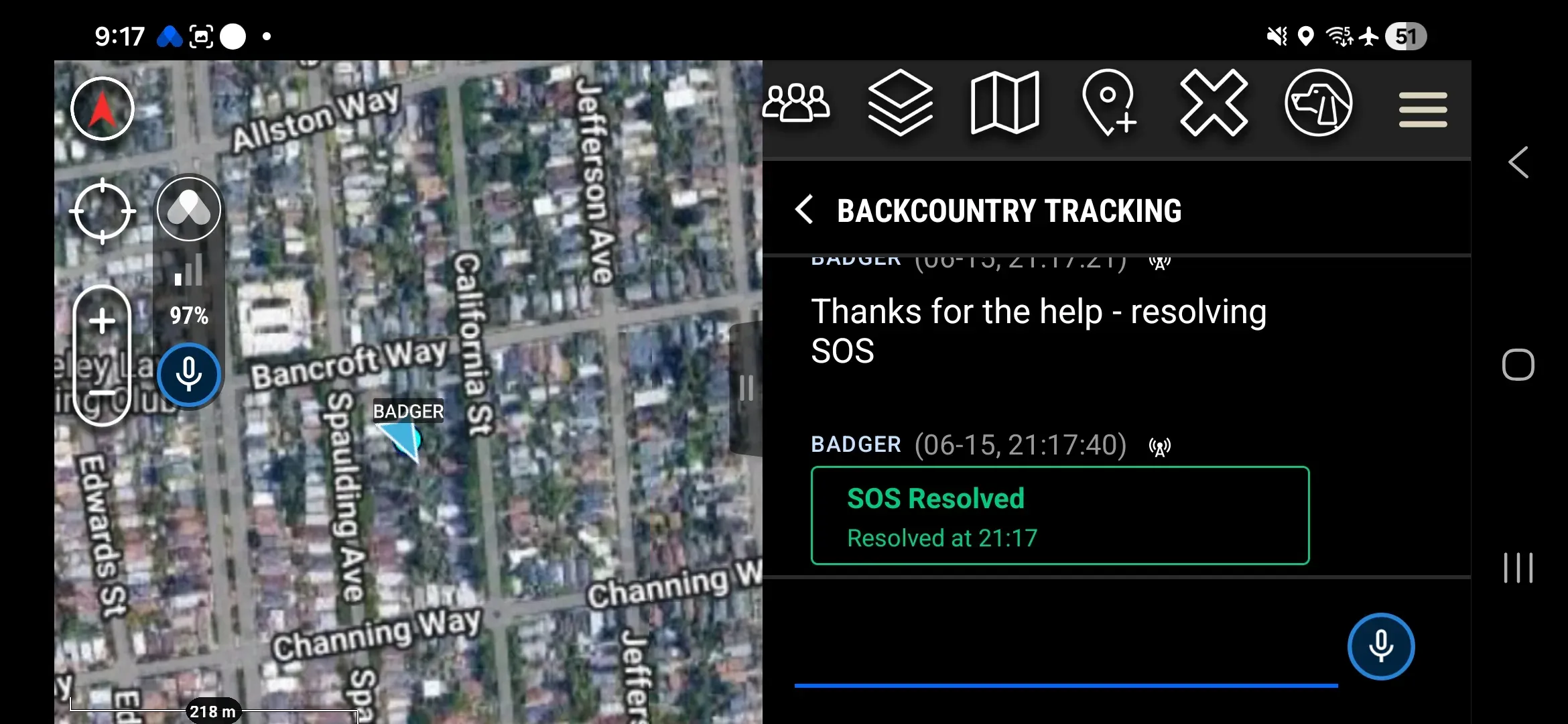
- Release — SOS is resolved. A resolution notice is sent to all notified parties.
How SOS Transmits
SOS routes over satellite, mesh, WiFi or cellular, and backhaul — whichever is available at the moment of transmission. The Node re-generates an SOS alert regularly to ensure the message reaches everyone possible. Location continues to update on its programmed cadence; the intervals below help ensure anyone who joined the operation late is alerted to an ongoing SOS.
| Condition | Behavior |
|---|---|
| Battery normal | Rebroadcasts every 10 minutes until resolved |
| Battery low | Rebroadcast interval extends to every 30 minutes |
What Your Teammates See
All Workspace Members receive:
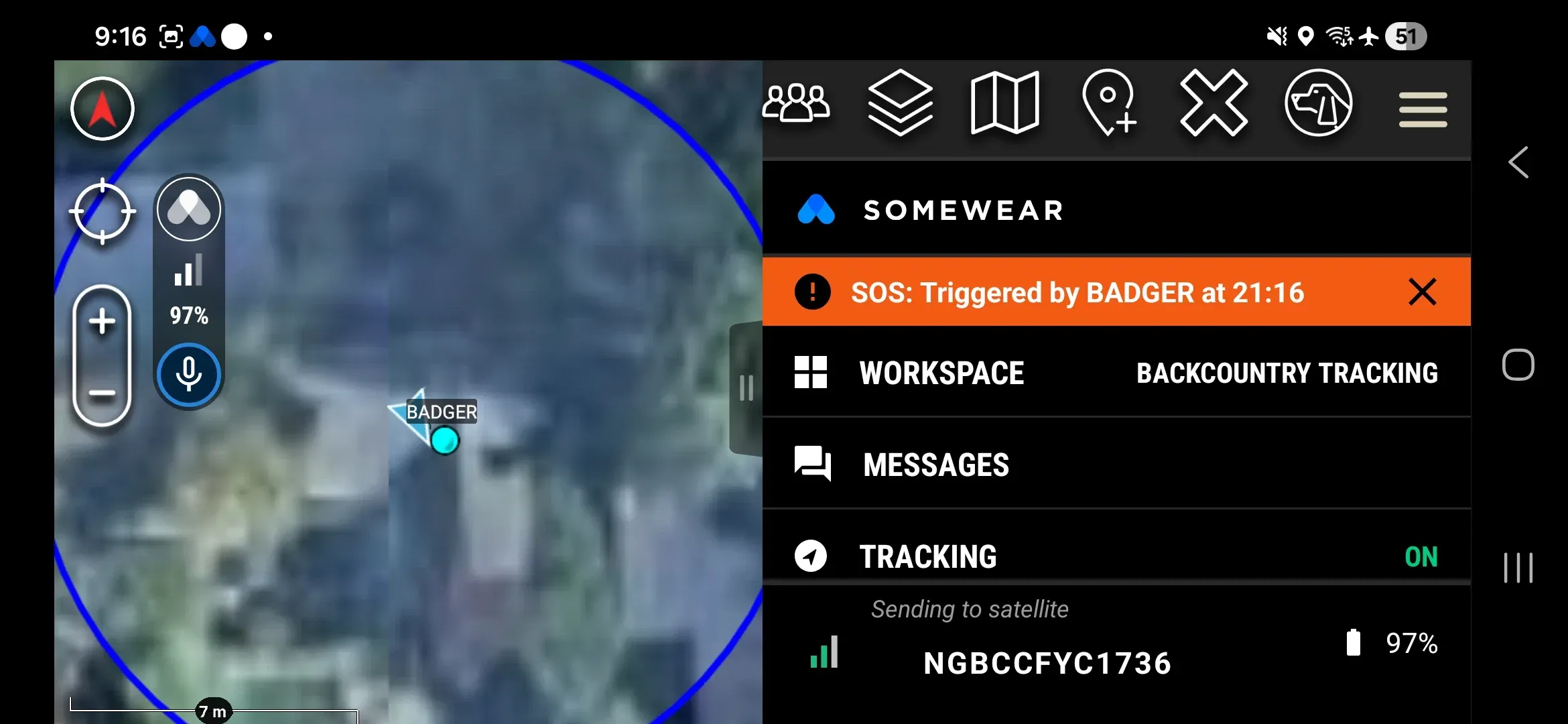
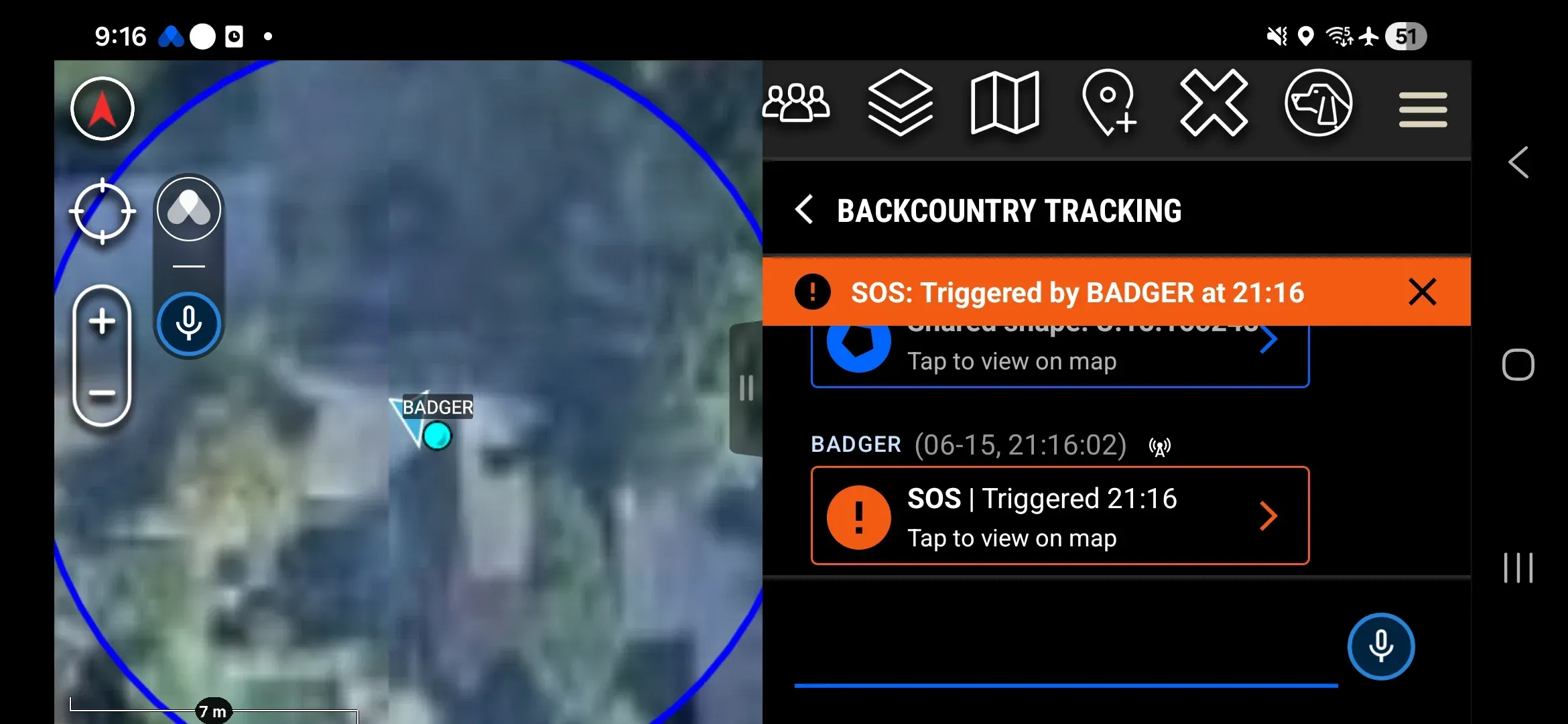
- A banner notification at the top of most plugin screens
- A badge on the Workspace thread in Messages
- A message in Workspace chat — tap the message to snap the map to the triggering operator’s location
On ATAK, the triggering operator’s position marker does not change color or appearance. Locate them using the SOS banner or the Workspace message’s tap to view on map.
TAK Server Integration
If your Organization uses a TAK server connected to the Somewear platform, SOS events are forwarded in native TAK 911 Alert format to all TAK clients on that server. No additional configuration is required on the Node or in the plugin to enable this forwarding.