
Use this page to identify every button, port, and LED state on the Node before you power it on.
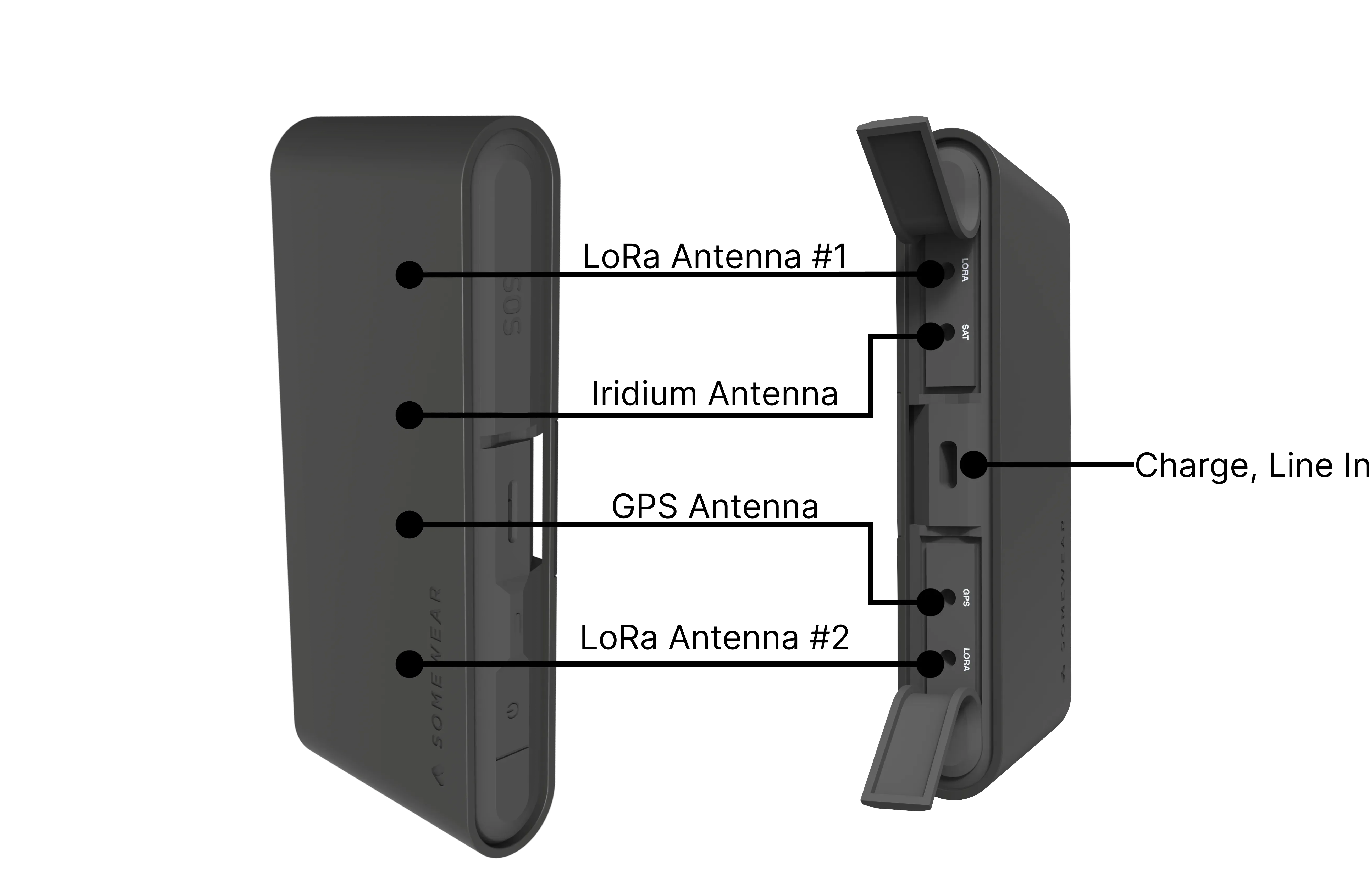
The Somewear Node connects your ATAK-equipped EUD to Iridium satellite, LoRa mesh, and GPS position reporting. All controls are on the front face. Antenna ports are under protective flaps on the rear next to the USB-C port.
Physical Specs
| Attribute | Value |
|---|---|
| Weight | 190 g |
| Dimensions | 132 × 62.4 × 23 mm |
| Color | Matte black |
| Battery | 1950 mAh Li-ion |
| Water/dust resistance | IP68 |
| Environmental rating | MIL-STD-810H |
Ports
| Port | Function |
|---|---|
| USB-C | Charging and data |
| MCX — LoRa ×2, GPS, Iridium | External antenna connections |
Controls
1. Power Button
- Power on: Hold until the LED turns green, then release.
- Power on in pairing mode: Starting from OFF, hold until the LED turns white, then release. The LED changes to blue after pairing.
- Power off: Hold until the Node powers down and the LED goes dark.
2. Programmable Button
Press to trigger the configured action. Default: enable or disable tracking.
3. LED Indicator
| State | LED Pattern |
|---|---|
| Pairing mode | Fast white blink |
| Tracking on (unpaired) | Fast green blink |
| Tracking on (paired) | Fast blue blink |
| Tracking off (unpaired) | Slow green blink |
| Tracking off (paired) | Slow blue blink |
| Low battery | Slow red blink |
4. SOS Button
The SOS button sits under a protective flap on the front face, below the LED indicator. For more about how SOS works within Somewear, see SOS.
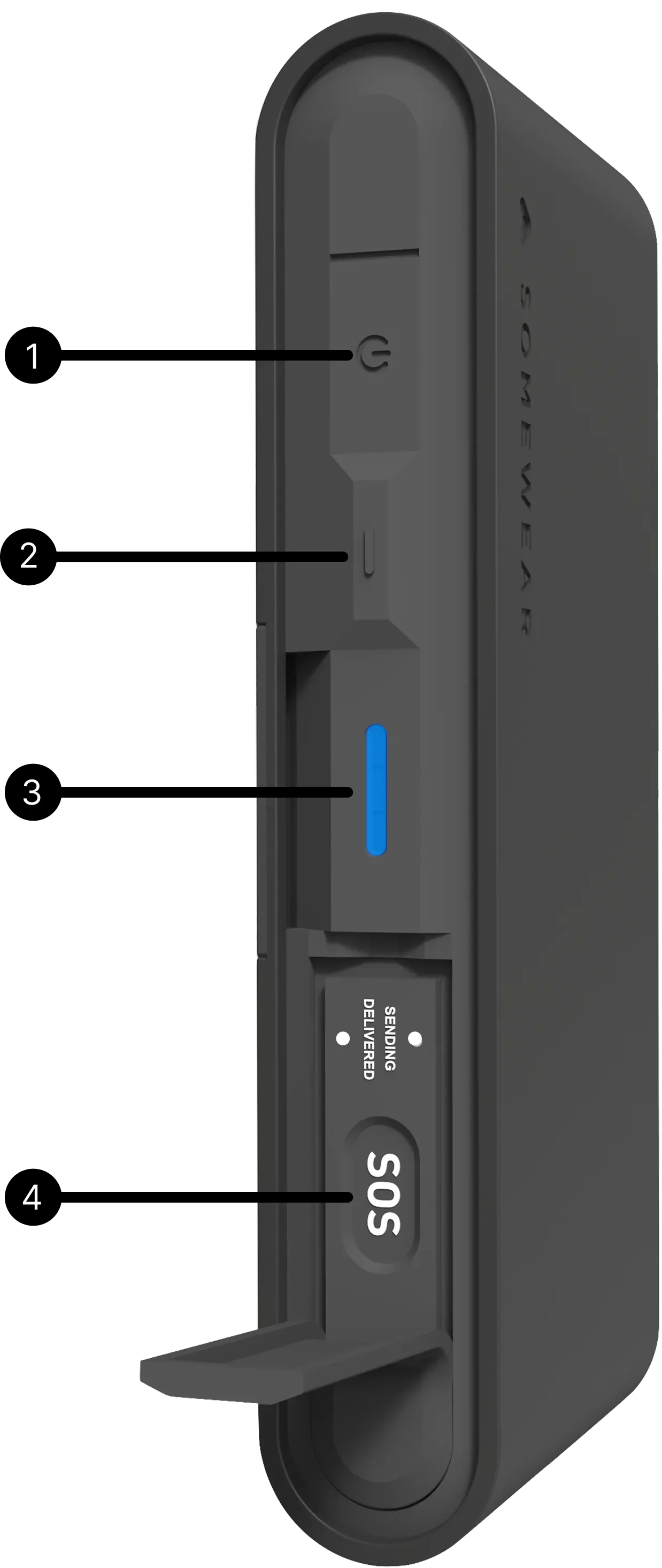
To send SOS:
- Open the SOS flap.
- Press and hold the SOS button until the Sending LED lights up.
- Release — SOS is now transmitting. Delivery is asynchronous; see the SOS page for details.
To resolve SOS:
- Open the SOS flap.
- Press and hold the SOS button.
- Release — SOS is resolved.